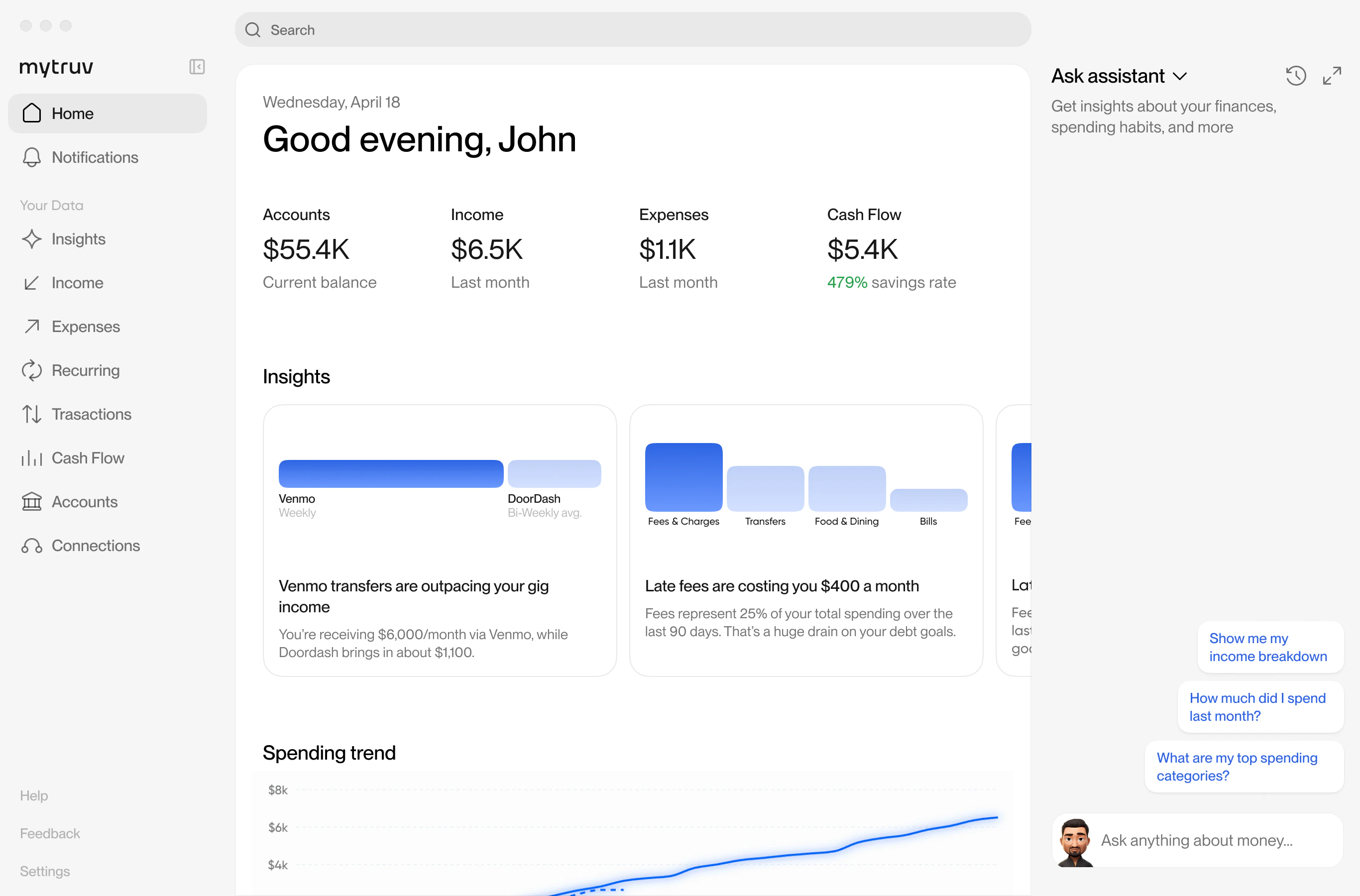
MyTruv is an AI-powered personal finance platform that brings all your financial accounts together in one place. Connect your banks, credit cards, loans, and payroll providers, and then explore your money however you want - through a web app, an iOS app, or directly from the AI tools and code you already use.
MyTruv command center dashboard

Ways to use MyTruv

Web app

app.mytruv.com - the full MyTruv experience in your browser. Connect accounts, chat with the AI assistant, explore transactions, and manage your subscription.

iOS app

MyTruv: AI Money Autopilot on the App Store. The same experience on your phone, with Face ID / Touch ID and native iOS notifications.

MyTruv MCP

Connect MyTruv to Claude, ChatGPT, Gemini, Cursor, or any other MCP-compatible AI assistant. Ask questions about your money in natural language.

MyTruv CLI

Query balances, transactions, income, and spending from the terminal. Ships as a Gemini CLI extension and a local MCP stdio server.

REST API

Read-only programmatic access for your own integrations, scripts, and dashboards.

MyTruv is read-only across every surface. It never moves money, changes account settings, or pushes data back to your financial institutions.

Create an account

Sign up at app.mytruv.com or download the iOS app - your account works across every surface listed above. Billing and plan management all live in the web app at app.mytruv.com/login. On Android? There’s no native app yet - it’s planned for the near future - but the web app is built for mobile, so you get the full experience in any phone browser. Open app.mytruv.com and add it to your home screen. Not ready to connect your own accounts? Look for Try demo mode wherever the app prompts you to connect a bank - it loads the full experience with realistic sample data so you can explore before linking anything real. Demo mode is read-only and never touches your own accounts, and you can leave it anytime with Exit demo in the banner.
Demo mode on iOS is available in MyTruv iOS 1.7 and later. You don’t even need an account: tap Demo mode on the sign-up screen, and your sign-up answers are still waiting for you when you exit.

Next steps

Connect an AI assistant

Set up MyTruv MCP with your AI tool of choice.

Browse the Help Center

Answers to common questions about using MyTruv day to day.

How MyTruv compares

Already using another money app? See what’s different about MyTruv.