

What is MCP for AI Agents?
The same hosted MCP server that powers chat apps also exposes your MyTruv data to agentic developer tools - Claude Code, Codex, Cursor, and any other client that speaks MCP. Drop the URL into the agent’s config and it can call tools to inspect your accounts, transactions, spending, and income while reasoning over your code or workflows, and to fix a category or merchant name when you ask.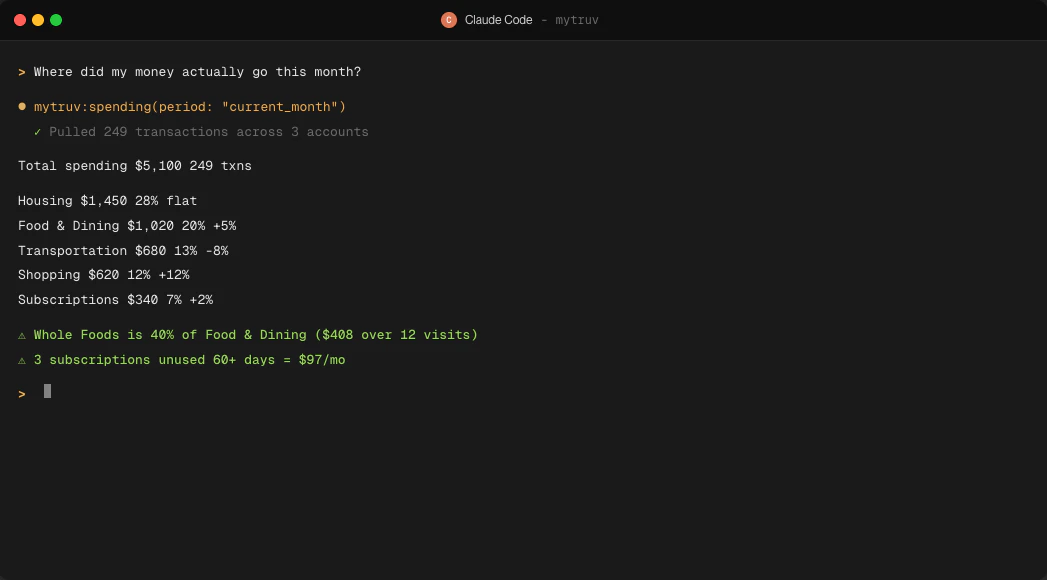
MyTruv MCP reads your data and, when you ask, updates how your transactions are labeled in MyTruv: categories, merchant names, hidden and recurring flags, and merchant rules. It never changes anything at your bank or payroll provider and can’t move money. Deleting a rule asks you to confirm first. See Available tools.
Prerequisites
- A MyTruv Pro subscription (monthly or annual) with at least one connected bank or payroll account
- A coding agent or terminal client that supports MCP servers over OAuth
How authentication works
OAuth - no API keys or tokens to manage. The first time the agent calls a MyTruv tool, your browser opens so you can authorize access. The session stays active until you sign out. The server URL is:Pick your agent
Claude Code
One-command install in the Claude Code CLI
Codex
OpenAI Codex CLI via CLI or config.toml

Cursor
Cursor Settings UI or mcp.json
Other clients
Gemini CLI, VS Code, JetBrains, Windsurf, Zed, and more
Try it out
After connecting, ask the agent to query something concrete - for example, “summarize my last month of spending” or “list my recurring subscriptions over $20”. The agent will call MyTruv tools under the hood and return the answer with the data it pulled.Limitations
- Pro plan required - MyTruv MCP is not available on the free plan
- Changes stay inside MyTruv - the write tools only edit your own transaction labels and merchant rules, never your accounts at the bank