

What is MCP for AI Chats?
MyTruv MCP plugs your financial data into the AI chat apps you already use - ask Claude or ChatGPT about your spending, balances, paychecks, and subscriptions in plain English and get answers grounded in your real accounts.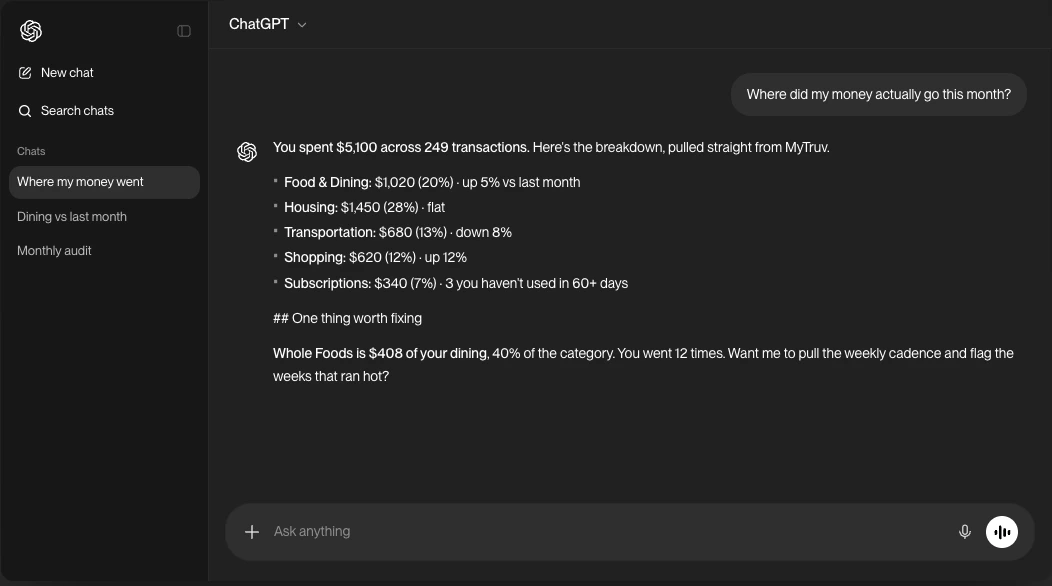
MyTruv MCP reads your data and, when you ask, updates how your transactions are labeled in MyTruv: categories, merchant names, hidden and recurring flags, and merchant rules. It never changes anything at your bank or payroll provider and can’t move money. Deleting a rule asks you to confirm first. See Available tools.
Prerequisites
- A MyTruv Pro subscription (monthly or annual) with at least one connected bank or payroll account
- A chat assistant that supports custom MCP connectors (Claude.ai, Claude Desktop, ChatGPT Plus/Pro/Business/Enterprise/Edu)
How authentication works
The MyTruv MCP server uses OAuth. No API keys or tokens to manage - just sign in with your MyTruv account when prompted. On first use, your browser opens automatically so you can authorize access. After that, your session stays active until you sign out. The server URL is:Pick your chat app
Using Claude Code, Codex, Cursor, or another agentic developer tool? See MCP for AI Agents.

Try it out
Once your chat app is connected, the fastest way to see MCP in action is to copy a prompt:Limitations
- Pro plan required - MyTruv MCP is not available on the free plan
- Changes stay inside MyTruv - the write tools only edit your own transaction labels and merchant rules, never your accounts at the bank